Documentation Index

Fetch the complete documentation index at: https://plivo.com/docs/llms.txt

Use this file to discover all available pages before exploring further.

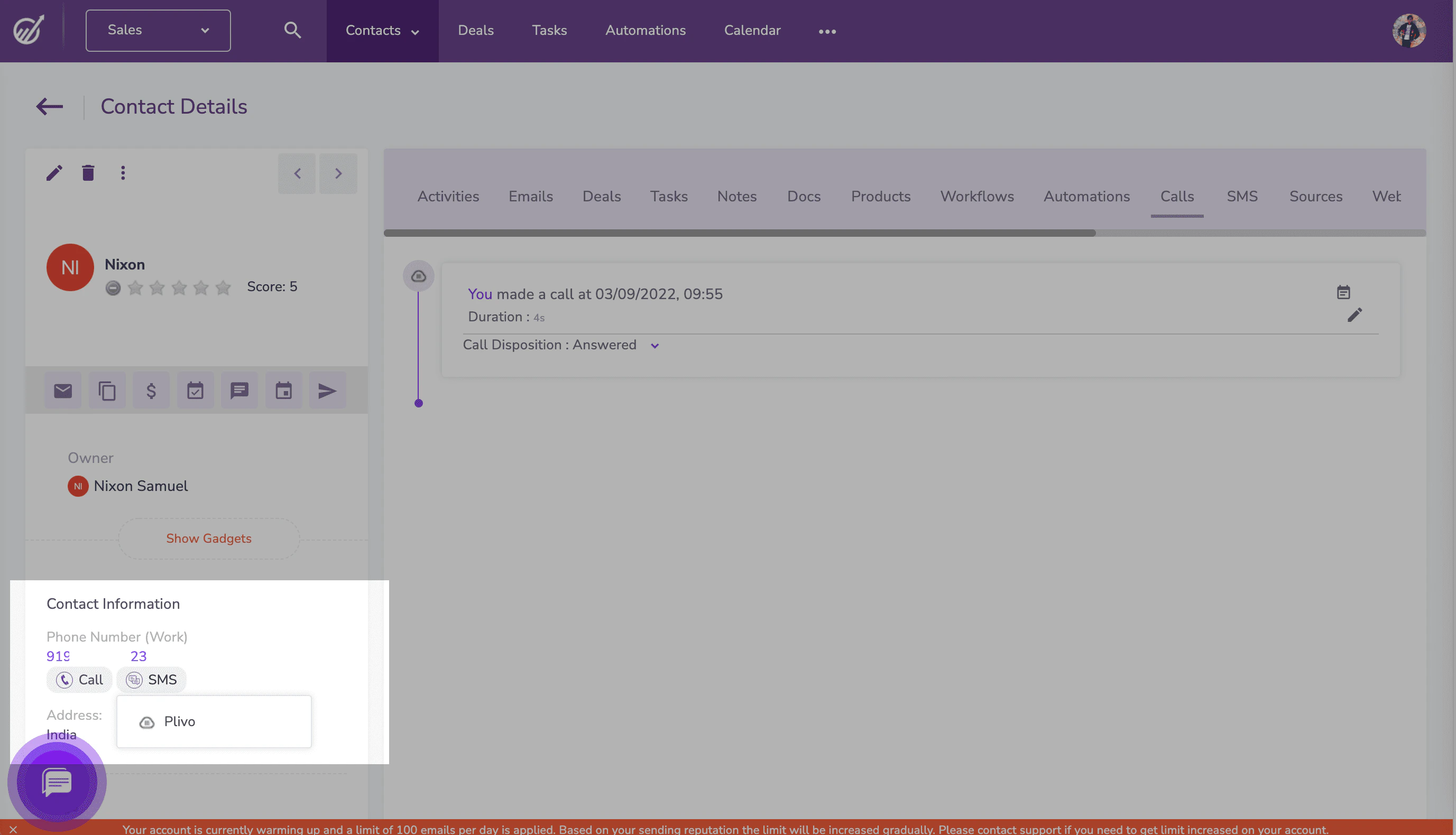
To send a text message, navigate to the contact you want to send a message to. Under the phone number in the left pane click SMS, then select Plivo from the drop-down menu.
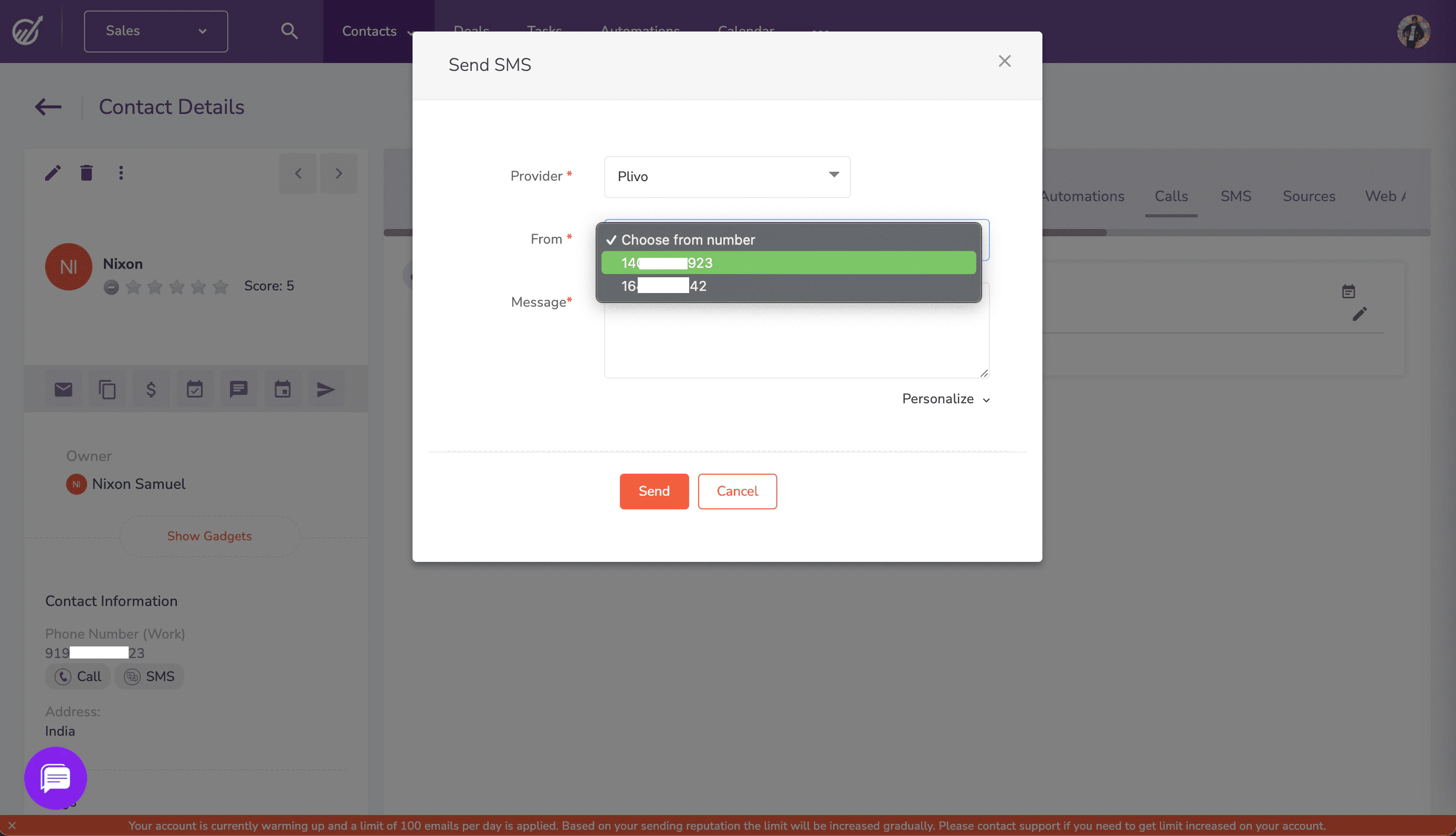
A pop-up appears that prompts for the From number and message text you want to use. Fill in the details, then click Send. EngageBay will send the message to the contact’s phone number using Plivo as the SMS provider in the background.