

Overview
You can use call forwarding to dynamically route incoming calls based on any of several factors.- Agent availability: You can place calls in a holding queue and route them to an available agent as soon as one is available.
- Business hours: You can route calls to an office number during business hours and to a mobile phone or voicemail during non-business hours.
- Time zones: You can forward calls to agents from different time zones to ensure round-the-clock availability.
- Using XML
Here‘s how to use Plivo XML to forward calls.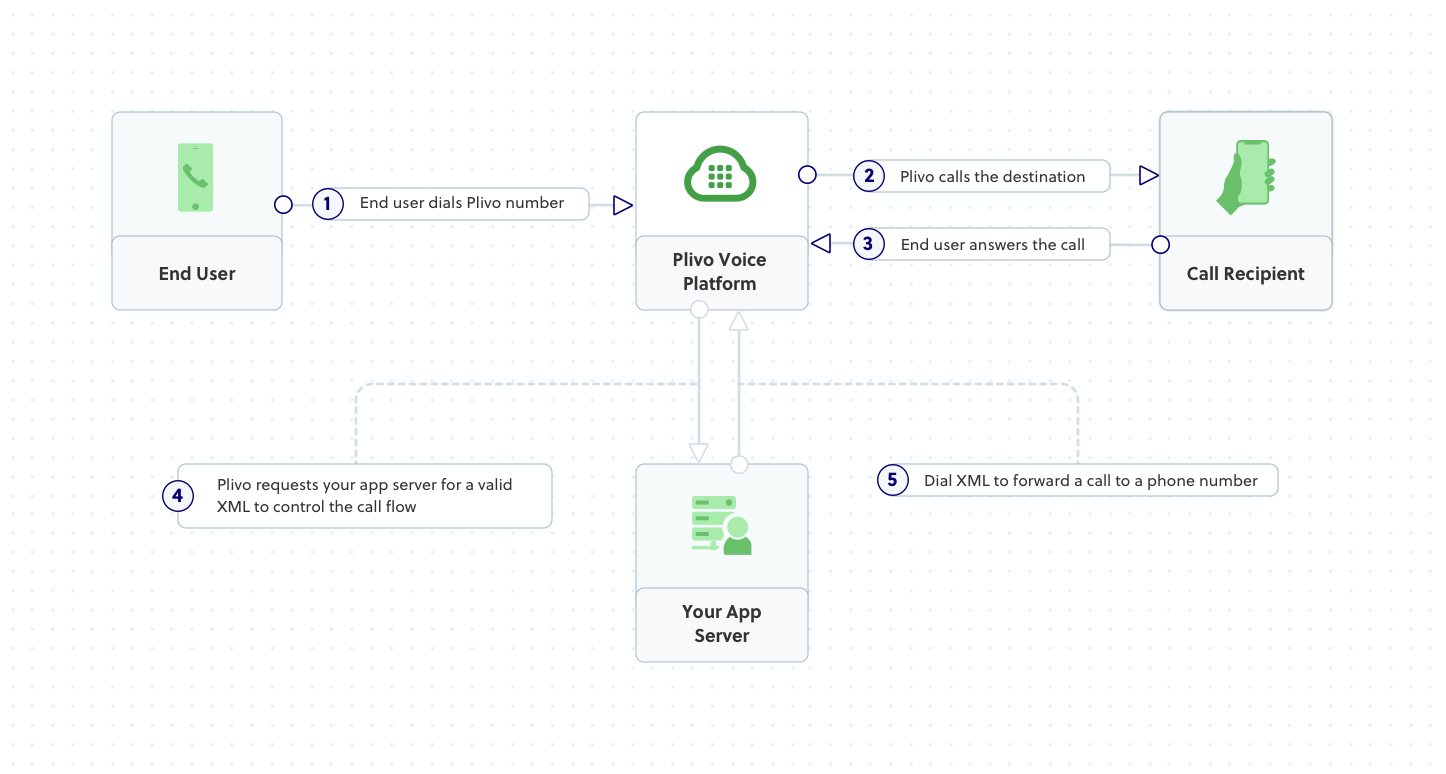
How it works
Prerequisites
To get started, you need a Plivo account — sign up with your work email address if you don’t have one already. You must have a voice-enabled Plivo phone number to receive incoming calls; you can rent numbers from the Numbers page of the Plivo console, or by using the Numbers API. If this is your first time using Plivo APIs, follow our instructions to set up a PHP development environment and a web server and safely expose that server to the internet.Create a Laravel server to forward incoming calls
Change to the project directory and run this command to create a Laravel controller for inbound calls.Create a Plivo application to forward calls
Associate the Laravel server you created with Plivo by creating a Plivo application. Visit Voice > Applications in the Plivo console and click on Add New Application, or use Plivo’s Application API.Give your application a name — we called oursForward Call. Enter the server URL you want to use (for example https://<yourdomain>.com/forward_call/) in the Answer URL field and set the method to POST. Click Create Application to save your application.Assign a Plivo number to your application
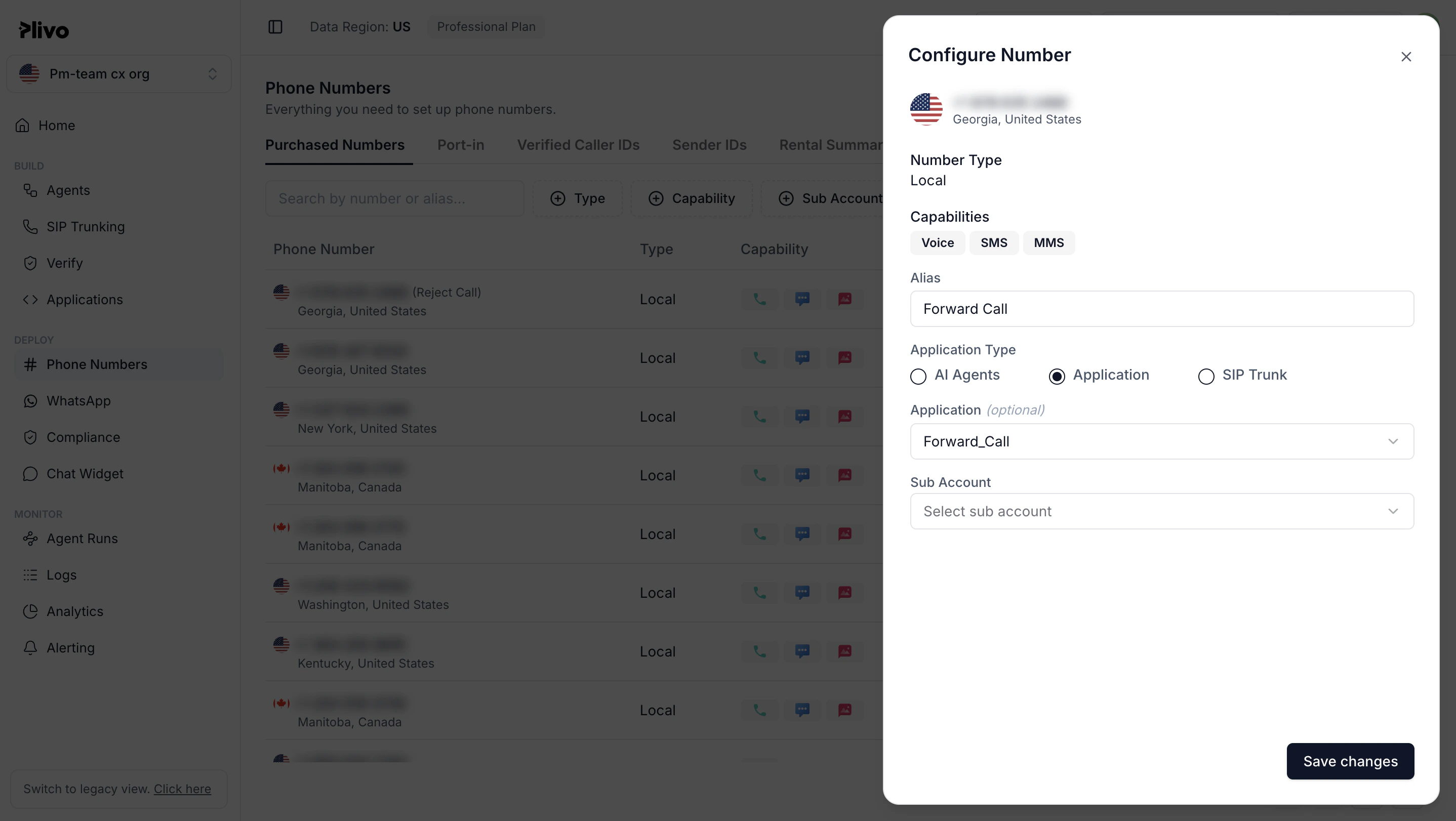
Navigate to the Numbers page and select the phone number you want to use for this application.From the Application Type drop-down, selectXML Application.From the Plivo Application drop-down, select Forward Call (the name we gave the application).Click Update Number to save.