

Types of Triggers
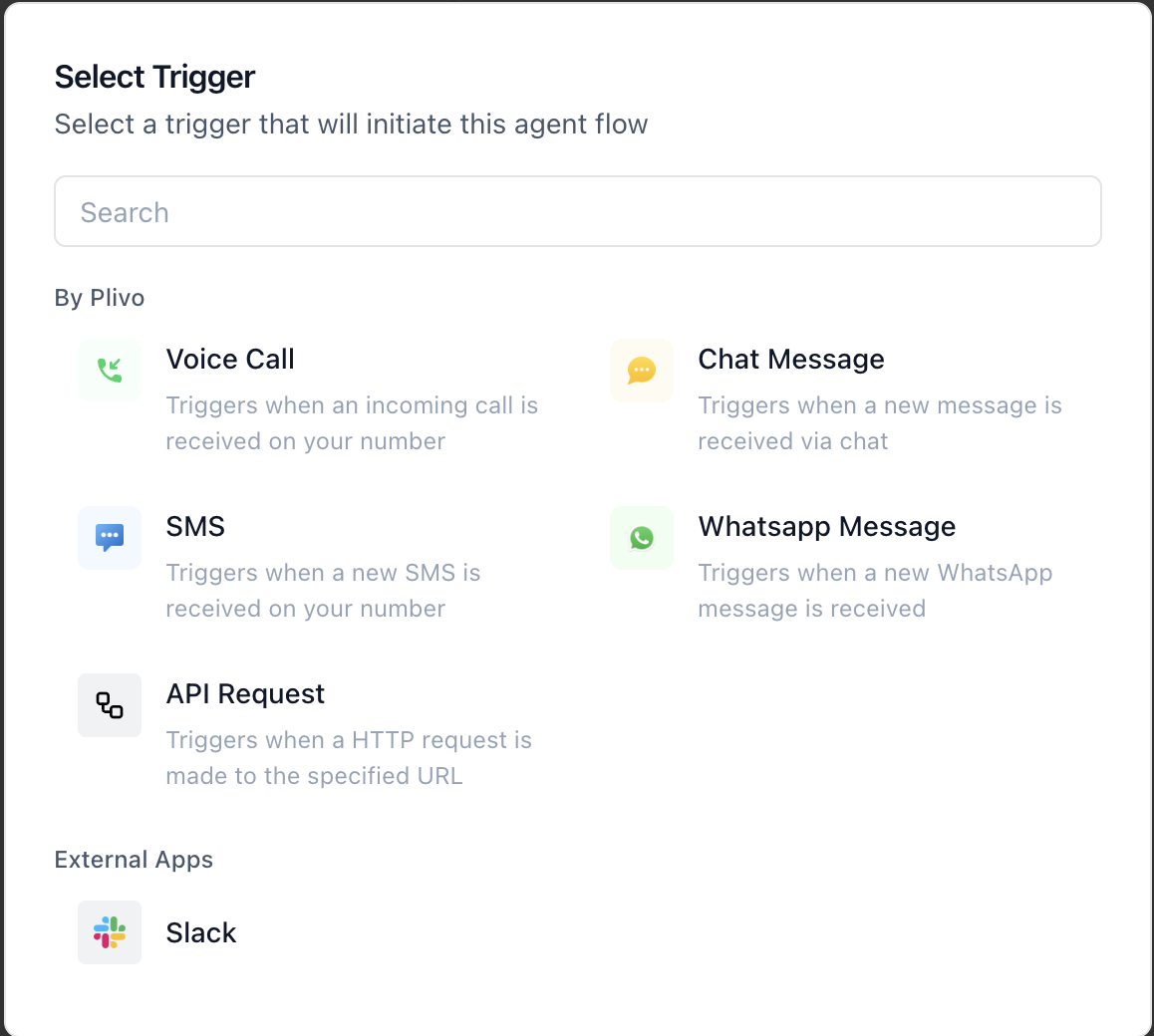
Note: The Start trigger placeholder is already present in every new flow. Click “Select Trigger” to open the drawer and choose a type.
Configuring Trigger Types
Incoming Call
- Choose “When a Call is Received” as your trigger.
- You’ll be able to configure a Hangup Agent—this is the fallback logic that runs if the user hangs up before the conversation completes.
Incoming Chat Message
- Choose “When a Chat Message is Received”.
- You can configure Quick Response Questions—up to 5 preset, clickable suggestions to guide the user.
Incoming SMS / WhatsApp Message
- These require no additional configuration after selection.
- Trigger activates when a new message is received on the selected channel.
API Call Trigger
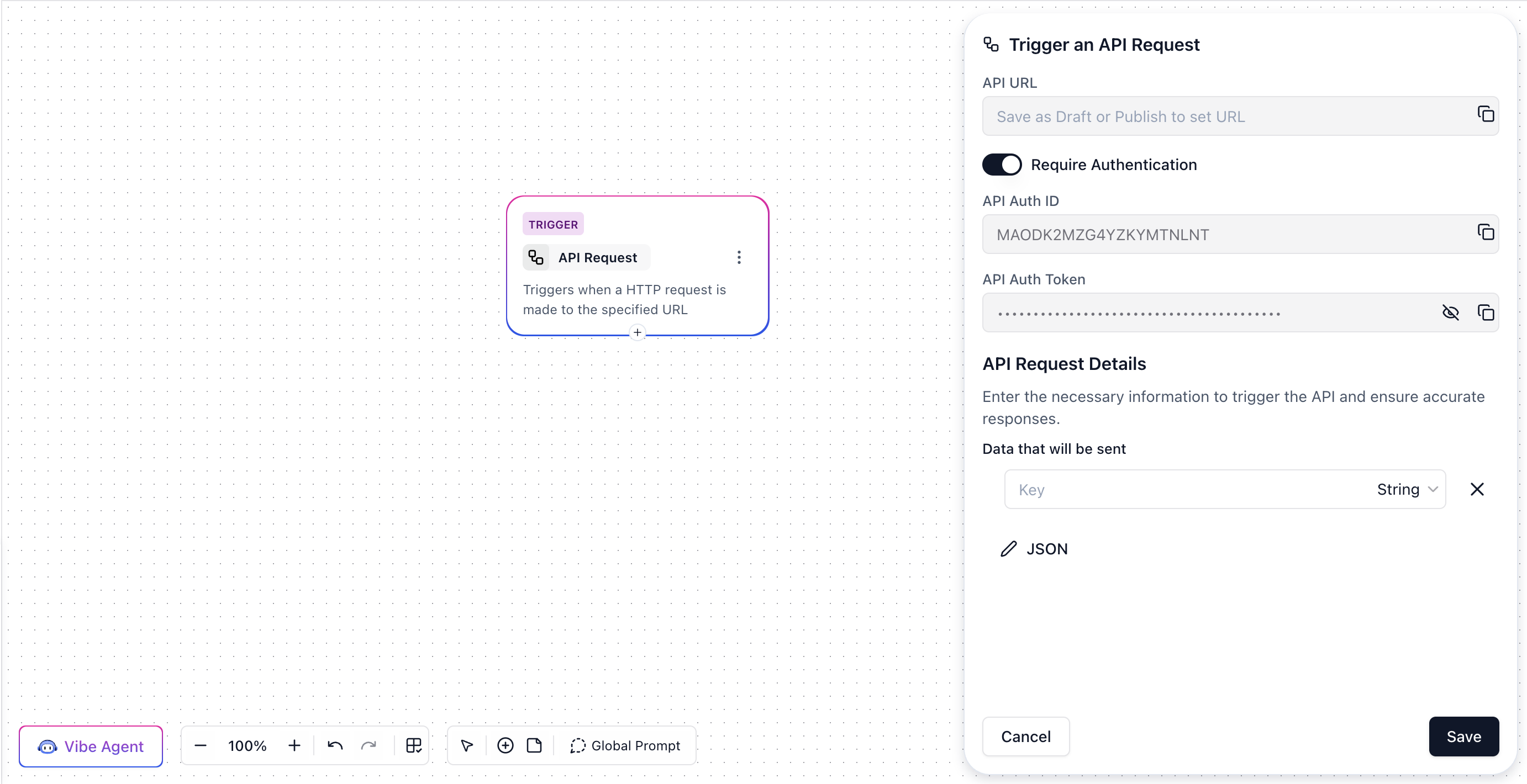
- When selected, you’ll receive:
- A unique API endpoint URL
- Authentication settings (Basic Auth enabled by default)
- A form to define input variables—key names and their expected data types, which can be used later in the flow.
- You can disable authentication (not recommended). We strongly advise keeping the endpoint behind auth for security.
How to Switch a Trigger
You can change the starting point of your flow without rebuilding it:- Click the options icon (⋮) in the top-right corner of the trigger node.
- Select “Change Start Trigger.”
- Pick a new trigger type from the available options.
- Configure your new trigger as needed.